How to edit a PDF for free, without Acrobat
Updated 10/14/2026
The PDF format is designed not to change, which makes it hard to edit without paid software. Yet most everyday edits can be done for free in your browser. Here’s which tool to use depending on what you want to change.
Fix a typo, a date or an amount
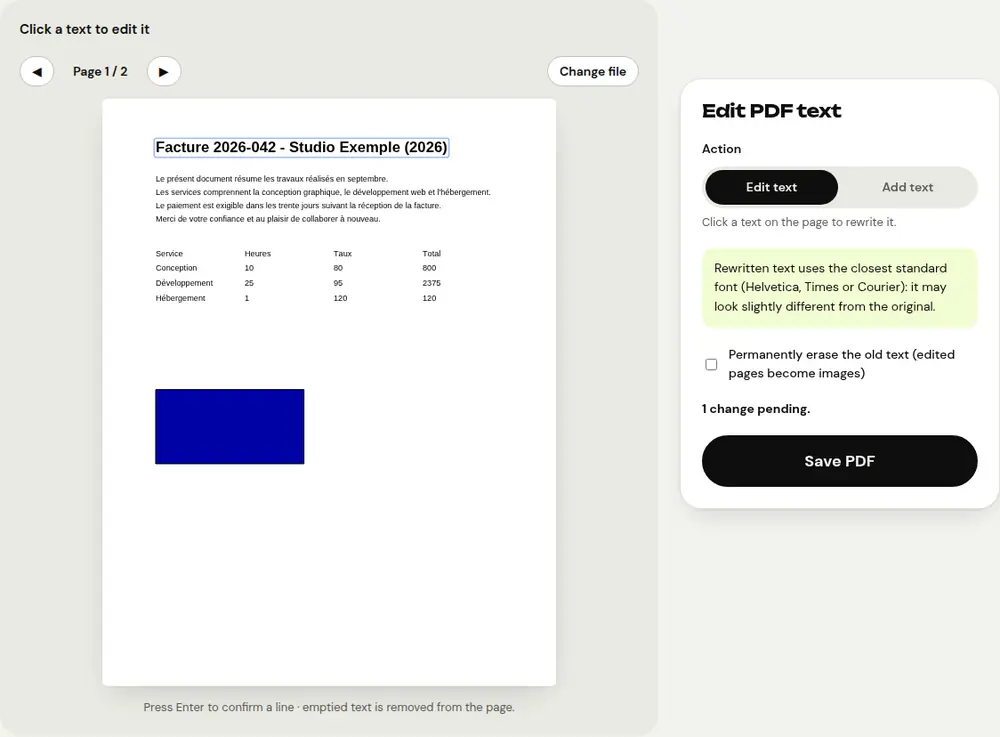
For a small correction, the “Edit PDF text” tool is the fastest:
- Open “Edit PDF text” and select the document.
- Click the line of text you want to fix and type the new version.
- Click “Save PDF” and download the result.
The text is rewritten in the same place, at the same size and in the same color, using the closest standard font.
Add text anywhere
In the same tool, choose “Add text” and click where you want to write a note, an annotation or fill in a blank area. If the document has real form fields, the “Fill in a PDF form” tool is a better fit.
Rewrite the whole document
For major changes (rewriting paragraphs, updating an entire résumé), convert the PDF with “PDF to Word”. You get a .docx file you can edit in Word, LibreOffice or Google Docs, with paragraphs, bold, italics and tables. Once you’ve made your changes, save it as a PDF again.
Delete, move or rotate pages
The “Organize PDF” tool shows thumbnails of every page. Drag them to change their order, rotate them or delete the ones you don’t need. You can also add other PDFs to combine them into a single document.
What’s hard to edit
- A scanned PDF contains only images: run it through “OCR PDF” first to recognize the text, then convert it to Word.
- A password-protected PDF must first be unlocked with “Unlock PDF”, if you know the password.
- To permanently hide sensitive information, use “Redact PDF” rather than a simple black rectangle.
Frequently asked questions
Are my documents uploaded online?
No. All PDFRoll tools work in your browser: your files stay on your device.
Does the edited text keep exactly the same font?
It’s rewritten with the closest standard font (Helvetica, Times or Courier). It may look slightly different from the original.
Is there a watermark or a limit?
No, no watermark, no sign-up and no usage limits.
More guides
- How to reduce PDF size to send by email
- How to sign a PDF on your phone
- How to turn photos into a single PDF
- How to merge multiple PDFs into one file
- How to password protect a PDF
- How to make a scanned PDF searchable with OCR
- How to convert a PDF to Excel without retyping the numbers
- How to translate a PDF
- How to properly redact a PDF
- How to convert a PowerPoint to PDF to send it
- How to separate the pages of a PDF
- How to convert a PDF to an editable Word document
- How to convert a Word document to PDF
- How to fill in a PDF form without printing it
- How to reduce a PDF below a maximum size
- How to rotate a PDF and save the rotation
- How to convert a PDF to a JPG image
- How to add page numbers to a PDF
- How to add a watermark to a PDF
- Free Smallpdf alternative: an honest comparison
- Free iLovePDF alternative: an honest comparison
- Free alternative to Adobe Acrobat online